I ceased even irregular blogging for quite a while--I wasn't seeing much interaction, and much of what I was working on wasn't really appropriate for sharing. But I'm hoping to get back in the game, partly I suppose because one of my current projects is looking at Microsoft Teams, a quite advanced threaded-chat-and-more platform that has gotten my collaboration juices flowing again. More on that later.
My career has continued to evolve--I am now a Director at Goodwin, and also since September have been a co-chair of the incredible events that will be ILTACON 2018 (National Harbor, MD) and ILTACON 2019 (Orlando, FL).
On that last point, I wanted to share that the ILTACON website now provides a way (for the next few weeks, in any event), for potential speakers and moderators to apply. This is a new process for ILTACON, one of the joys of working with ILTA and this fantastic group of event professionals and peers is that they are not afraid to try new things!
The way it works is, a full list of sessions is available (the ILTACON committee has been working on developing a set of sessions since October). Potential speakers or moderators fill out the form, indicating the session where they are seeking to participate. Fill out a separate form for each session in which you are interested.
Thursday, April 19, 2018


Wednesday, September 28, 2016
Article in Legal IT Today Magazine

The focus of the article is on the value of visualization tools for leveraging matter experience information. While I can't show the Goodwin Litigation Intelligence tool, I describe its development and functionality, and the benefits to my clients the partners at Goodwin and their clients in turn.
Thursday, February 25, 2016
Business Intelligence and Analytics In the Legal Profession--Ark Group Conference April 28
 I'll be speaking again at an Ark Conference, this time, at the fourth "Business Intelligence and Analytics in the Legal Profession" conference, to be held April 28th at the AMA Executive Conference Center in New York.
 Formal title: Business Intelligence & Data Visualization Use-Cases
Description:
Legal organizations are awash in rich information about the work they do.In many ways this presentation will be a follow-on from the presentation at ILTACON 2015 on "Best of Business Intelligence: Stories of Success" (recording available.) We've made progress in identifying some important use-cases and in leveraging our matters data since then, of course.
Lawyers record time in six-minute increments, save dozens of documents a day,
and even assign each client and matter a unique number, (a system much envied
by our corporate knowledge management peers). Yet few legal organizations
take full advantage of the data that they have, despite the increasing prevalence of
advanced data analytics and visualization tools that make access and interaction
with the data much easier and faster. This case study will share one law firm’s
story about visualizing matter data, starting with a sophisticated
matters information system and moving on to show an interactive business
intelligence system focused on what lawyers need to know about their matters.
Uses include business development, competitive intelligence, knowledge
management, and pricing and budget analysis.
Hope to see you there!
Friday, August 28, 2015
ILTA Conference 2015

I've been neglecting this blog to some extent in favor of some other channels lately, and also in favor of some other activities.
This year I've been the Team Coordinator for the Information Management "track" at the International Legal Technology Association's annual conference "ILTACON," which starts on Sunday. The eight members of my team have developed a great slate of 32 sessions addressing knowledge management, information governance, data analytics, social media, innovation in legal services delivery, and related topics.
On the ILTA blog platform, which is somewhat public, I've posted "Find Your Way to the Education You Want" (about how to plan for ILTACON and how to search through conference sessions), and "Knowledge Management Sessions @ILTACON" that has a detailed description of a possible set of sessions of interest to knowledge managers.
I'm also hosting the #tweetup, which is a Community of Interest, Sunday at 4 PM in Genoa. This year it's hosted by ILTA, and there will be discussion of tweets, tweeps, and tweeting, other social networking, social media sessions, and maybe a little viola playing so we'll have something to tweet about.
Later in the week, if you want to hear me talk about a subject I've been working on a great deal this year, come to Roman 1 Wednesday at 11 AM for "The Best of Business Intelligence: Stories of Success", Session #100. I'll be discussing recent experience with the use of visualizations and business intelligence for practice improvement, matter analytics, and business development.
Lastly, if any readers are at ILTA member organizations and have attended at least one ILTA conference, I hope you'll consider applying for conference committee. I promise that you will learn a lot, meet great colleagues you otherwise would never encounter, and have a great experience.
Monday, April 27, 2015
The Iron Tech Lawyer Competition, 2015 Edition
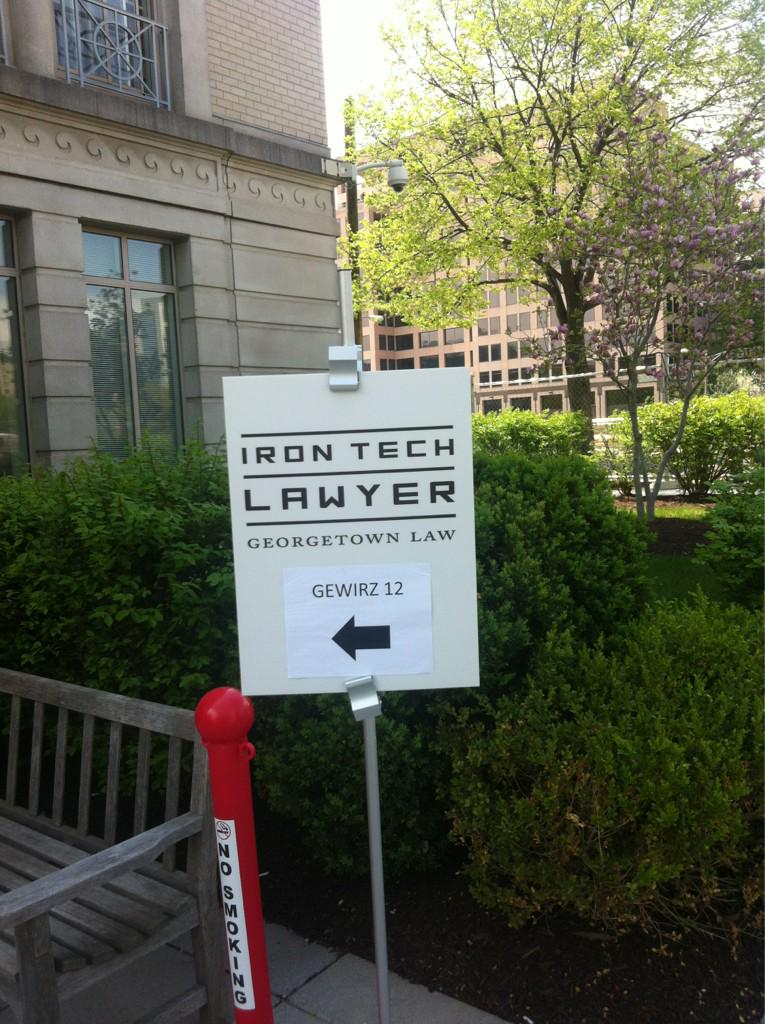
This post addresses the competition: a later post addresses the conference. For pics and other's comments you can follow the hashtag #irontechlawyer and follow @GtownLawIronTech.
I have previously covered the Iron Tech Lawyer competition; in essence, it is an app development contest targeting a legal services-type challenge. What’s great about it is that the students get to address client problems by combining their legal reasoning and analysis with advanced technology. The technology (provided by Neota Logic) is sophisticated enough to be able to embed a big chunk of their legal understanding, but simple enough to develop and use that they can provide a web-based app that actually could be useful.
I was intrigued this year by the different strengths and approaches shown by the six teams (of three or four students each). Some teams did a great job at identifying a clear user need that could be met by an app, or had carefully teased out a coherent use-case for their solution; some had thought carefully about what sort of design would be a good fit with what their users needed, or perhaps designed their app while thinking about and preparing for its further development; and some had developed a strong, coherent presentation or showed strong presentation skills. The subject matter ranged from Native Alaskan tribal child protection issues to federal disability rights to California elder law.
All
of them were able to get remarkably far in the 10 weeks or so that they had to
develop the app; if it is any consolation to them, they should know that any
kind of significant, enterprise IT project takes significantly longer than the
time they had in class.
The judges evaluated and questioned the students about how
they teased out the user / client needs, or identified the client population;
how they learned about the underlying law and built it into their applications;
and also the type of output or result that could be obtained.
Details on the six apps, also described here, follow.
ADA2GO
The first team’s Americans with Disabilities Act app
focuses on Title III, relating to accommodation of individuals with
disabilities in the provision of public facilities. Examples include restaurants, hotels, salons,
and bowling alleys.
It is targeted at both individuals not aware of their rights and
businesses not aware of their obligations. They tried to focus on the needs of
their disabled users, making sure for instance that the app would work with
screen-readers.
They started with a potentially discriminatory situation
rather than a venue. Tried to provide context-specific examples. Hover-overs
provide definitions and examples. The
app also connects to the correct Department of Justice area. After answering a
series of questions, the users are provided a final report, which can be in
.pdf form. It provides a description of the users’ rights and responsibilities.
The app’s decision tree leads to different sets of .pdf reports.
They worked with the Department of Justice division that
supports the ADA. They heard that the
disabled user community would not necessarily have sophisticated technology,
and would also might need to use screen readers. They tried to make the app
simple and easy to use.
I really value the team's attempt to make the app about disability rights particularly accessible. I think they may have bitten off more than they could chew by addressing needs of individuals (potential claimants) AND businesses (potential defendants). This app has very broad potential applicationn.
Alaskan Native Child Welfare Assistance
The app addresses the extensive removal of Alaskan Native
children from their families, with frequent placement away from Native Alaskan
families.The focus of the app was on the tribal representative needs rather than the individuals opposing removal in a particular case.
The challenge is that most tribes can’t afford a lawyer. Many of them are located thousands of miles
away from their tribe. Yet the tribe has the right to intervene in state court child
removal cases,
and has a right to a guardian ad litem who knows about a specific Native Alaskan tribe. The app provides information about particular removal
situations and also yes/no answers about tribal and individuals rights, for
instance, that the tribe can participate telephonically in removal hearing even
if the representative can’t be there in person.
This app had a very interesting targeted focus and use-case; I have some experience with child protective work, and appreciate the attempt to provide more information to tribes, who have needs that apparently are not being properly addressed, leading to injustice and loss of tribal integrity. The outcome of the app seemed to continue to contain a a fair amount of legal jargon, however, making the resulting information perhaps hard to digest.
California Legal Aid / Elder Law
The challenge is the LawHelpCA.org web site, which has a
ton of information, is not easy for users who may not understand legal
terminology (such as “capacity.”).
They use four different approaches to showing information. The app contains plain language descriptions of aspects of
California elder law. It provides pieces of information to the
users depending on their answers about their situations.
The team saw their app as a "proof of concept", and clearly spelled out how the app could be further developed and
expanded.
A user could (in the future) indicate if she was simply
interested in learning more about, for instance, in-home care, or could
indicate that they need specific questions. I especially appreciated this team's focus on what it could effectively accomplish within the time and resource limits that they had, and the way they structured the work they did with an eye towards potential expansion. That's often the way apps like these might get started in the "real world" (see Minimum Viable Product).
Disaster Assistance & Recovery Tool (DART)
This app addresses needs of hurricane and flood survivors to access
the many different resources and help that can help them. A secondary user is Lone Star Legal Aid. Their goal was to simplify legalese, keeping the language to a sixth-grade level, and also have it available either in a mobile form or via PC browser.
The app helps find disaster assistance resources and apply
for loans.
They wanted to make the app user friendly, provide
guidance, tell users how to avoid pitfalls, and educate them. User-friendly to them meant very few questions on a page,
with a yes-no question response leading to an additional question on the same
page. They leveraged an expert’s knowledge of what people commonly get wrong to provide tips and links to forms along with deadline warnings. Answers led to a list of types of eligibility, along with a set of next steps, application forms, and a .pdf download.
The app contains four separate decision trees for eligibility determinations. They hope it can be expanded beyond hurricane and flood disasters, and also to other states.
This was the winning app, according to the judges. I concur that DART did a great job focusing on a needy population and delivering targeted, well-designed help.
Transnational Anti-corruption Advisor
This app represents the first attempt in Iron Tech Lawyer to work with foreign law
or with an international law firm.
A4ID “Advocates for International Development: Lawyers Eradicating Poverty” was their
partner / client.
The app allows users to assess whether they have or are
about to violate the US Foreign Corrupt Practices Act or the UK counterpart the
United Kingdom Bribert Act of 2010. They had to blend two sets of laws, and
faced users who may not be familiar with the US or UK legal systems. Cultural
expectations might differ also between US/UK and international users.
They wanted to make the app simple to use, and easy to
extend. They used short subheadings, and integrated definitions of key terms.
They broke down the law into 9 small decision trees.
Veterans Benefits Disability Advisor
The team was shocked to find that there are 3.5 million
disabled veterans in the US, constituting over 15% of all veterans. They worked with the Bob Parsons Veterans
Advocacy Clinic.
Veteran’s benefits law is a very tangled web. Many
veterans could have been better served in going through the benefits
acquisition process if they worked with a veteran’s services organization.
The application helps with several specific processes,
such as obtaining medical records or determining discharge status. Being there was better than observing on the web, particularly in giving a better perspective on the presentation skills of the different teams. The Iron Tech Lawyer competition and class continues to give law students a great perspective and actual experience on what it is like to apply legal technology to solve real-world problems.
Wednesday, March 4, 2015
Book Review of Eric Hunter's "The Sherlock Syndrome: Strategic Success through Big Data and the Darwinian Disruption"
 Eric Hunter is a legal knowledge management colleague and recipient of ILTA’s 2010 Knowledge Management Champion Distinguished Peer and Innovative Member awards. He is Director of Knowledge, Innovation and Technology Strategies at Bradford & Barthel, LLP (a California law firm focused on worker’s compensation) and also Executive Director of the Spherical Models consultancy.
His wide-ranging report puts business analytics and the insights it offers at the core of wide-ranging potential changes in legal and other industries. Though future-oriented, it spends most of its time on developments whose beginnings are firmly entrenched, such as video search, wearable tech, big data, and data visualization.
Through my own work I have come to believe that legal organizations – and perhaps organizations in general – can obtain significant competitive advantage by leveraging analytics and technologies and taking better advantage of our increasing connectivity and ability to share inside and outside the organization. Hunter’s report provides more substantiation for those beliefs, and also projects ahead to suggest how to prepare for the increasingly rapid changes that are coming. I appreciate that Hunter is “walking the walk,” talking about increased sharing while doing so himself through this book and his many presentations at Ark and ILTA conferences (referenced throughout the report).
Sherlock Syndrome
The title’s “Sherlock Syndrome” concerns our increasing ability to observe, sense, cross-reference, and analyze information and trends much more comprehensively than before through data analytics and Big Data. The trend is one of massive increases in the ability to recall, analyze, and leverage information. Hunter posits that, at least with respect to personal preferences and search patterns, “everything is becoming predictable (and therefore marketable) through analytics.” Particularly striking to me is the thought that not only are the abundance of data and power of our computers increasing rapidly, but also the sophistication and availability of easy to use analytics tools are making this information actionable in ways that were never before possible.
I have seen this myself in my firm’s exploration of the Tableau data visualization tool. Business use-cases for Sherlockian advanced perceptions include forensic (criminal) investigations, insurance claim investigations, and, of course, targeted consumer advertising.
Darwinian Disruption
Hunter also believes that “Darwinian data disruption” is affecting the entire business world. It is not simply data—though the scope of data is increasing dramatically every year—but also computational and analytical capacity that is growing so dramatically. Hunter’s disruption is Darwinian because leveraging these changes provides a clear competitive advantage and those organizations and business leaders able to adapt to the new environment will survive. Businesses that cannot adapt to and take advantage of these technologies and changes may not survive. It may have been said many times before, but it is true: as Hunter observes with many examples, we are seeing accelerating levels of market disruptions as companies learn to innovate faster.
The (Edward) Snowden Effect
Hunter spends a good deal of time digging into the “Snowden” effect (not David Snowden the KM guru, but Edward Snowden, the former NSA contractor). In Hunter’s view, Snowden’s revelations of widespread government capture of vast amounts of personal information in pursuit of national security encapsulate the inevitable tension among privacy, the right to share, and the (security and other) benefits of access to others’ information. Snowden demonstrated that cross-border information sharing is happening and will happen more and more. The NSA, US government agencies, and other governments that capture and share personal information are in his view just taking to an extreme and for different ends what corporations like Facebook and Google already do to target advertising to consumers.
The Predictive Orchestra
A skilled jazz and classical bass player, Hunter hits my sweet spot with an extended metaphor of a “predictive organization” as symphony orchestra, all playing from the same music and not simply following a leader, but also anticipating the melodies and entrances of other sections. (I would promote leaderless orchestras like New York’s Orpheus chamber ensemble http://www.orpheusnyc.com/ as a better fit for his progressive view than the hidebound, intensely hierarchical traditional symphony orchestra. For instance, in a traditional orchestra, the musicians within a section are positioned on the stage by rank according to purported ability!)
Legal Industry Impacts
Hunter does not neglect the implications of these much broader developments for the legal industry. Within law firms, Sherlockian advanced perceptions aid pricing, methods for doing legal work, internal communications, and understanding and addressing client needs. The new technology, analytics, and cross-border flow of information have the potential to greatly enhance law firms’ understanding of their clients and clients’ understanding of legal issues. The technologies increase the capacity for clients and firms to build “targeted relationships” and provide a continually expanding set of opportunities. And, the same data collection and predictive analytics that Facebook and Bing use to identify our consumer interests also identify our business needs. Analytics technologies can be applied directly to some types of legal issues, such as the likely extent of exposure from a given worker’s compensation claim.
Another example is law firms’ new ability to bring transparency to matter work, including data analytics around pricing and profitability, staffing models, and project models. Hunter spells out how the concept of “velocity billing” combines client-specific account managers, predictive analytics driving client- and firm-appropriate fee arrangements, and social collaboration around matter and client work has affected his firm. In combination, these processes and technologies lead to very efficient and client-targeted legal work.
Another instance of these technologies manifesting in law firms is his own firm’s adoption of Google Plus (“G+”). While much-maligned as the place where only Google employees “hang out,” Hunter sees G+ as a great example of a system that is both inward- and outward-facing and combines search with a designed social platform. Creating a G+ circle is the kind of fluid, effective, searcheable content and process management Hunter sees in the future of legal work. For Hunter’s firm, G+ is both an internal- and partially external-facing social network and platform. He notes that social network implementation and internal change management, like the pricing and client management projects he has had so much success with, involve different change management dynamics needing different approaches.
For law firms and the general corporate world, the technologies, techniques, analyses, and insights gained and shared so rapidly can be applied to not just readily quantifiable attributes of work such as hours, effort, and outcomes, but also leadership and change management at the levels of self, team, and organization as a whole. Hunter’s exhortations on leadership are very similar to what you might hear from many an Eastern-philosophy or martial arts- influenced business leadership book; what differs is the tie-in to his Sherlock/Darwin analysis.
Hunter suggests that people, teams, and organizations should be reinventing themselves through these enhanced perceptions and abilities every 18 months.
Complaints, Conclusions, and Inspirations
One concept that could have been more clearly elucidated is Hunter’s “spherical analysis/spherical modeling.” Google search suggests that these terms are not widely used in the business intelligence or data analytics communities—references to spherical analysis or models typically relate to variogram models that address how distance effects correlation between variables or a method of modeling magnetic forces (see the spherical models Wikipedia article.)
Much of the report is fairly abstract; I would not go to this book for an introduction to business analytics or Big Data. Nor was it entirely easy to read, with a fair amount of repetition and some extraneous quotes from Ghandi, Leonardo Da Vinci, and Hunter’s martial arts instructor. Finally, the size of the book’s print is too small (at no more than 10-point font) and somewhat faint. Perhaps the book is easier to read on-line (admittedly an appropriate production strategy given the book’s topic).
Overall, I found Hunter’s report an intriguing and inspiring application of broad industry, technology, analytics, and behavior trends to the ground level of the key interactions between law firms, legal work, and clients. His predictions about predictive analytics and more are in some cases not predictions at all; he shows how these can play out and have an impact on a legal practice area. They should not be ignored. I would not be at all surprised if many of his other predictions are soon borne out more broadly in our industry.
Saturday, August 16, 2014
Blogging at ILTA?
 Normally the International Legal Technology Association (ILTA) annual conference is where I blog the most each year. Excellent, timely, substantive discussions or presentations, that I can report on without having to create--what's not to like?
This year is a little different. I am on the "Conference Committee," the group of ILTA peers that organizes the educational sessions, as the representative from the ILTA KM Peer Group. We have responsibility for the "KM track," six of the sessions here that relate to knowledge management. Late in July I authored a post on the ILTA KM Blog that offers a preview of the excellent sessions that we'll be presenting. I encourage readers to attend or follow remotely (hashtages start with #kmpg1 and go to #kmpg6); but, needless to say, I'm going to be a little too busy to blog, at least for those six sessions.
If you read this blog, and you attend one of those sessions, or otherwise see me at conference, please come say hi--I'll be there!
Subscribe to:
Posts (Atom)